
About OpenCV for Unity
Overview
https://assetstore.unity.com/packages/tools/integration/opencv-for-unity-21088

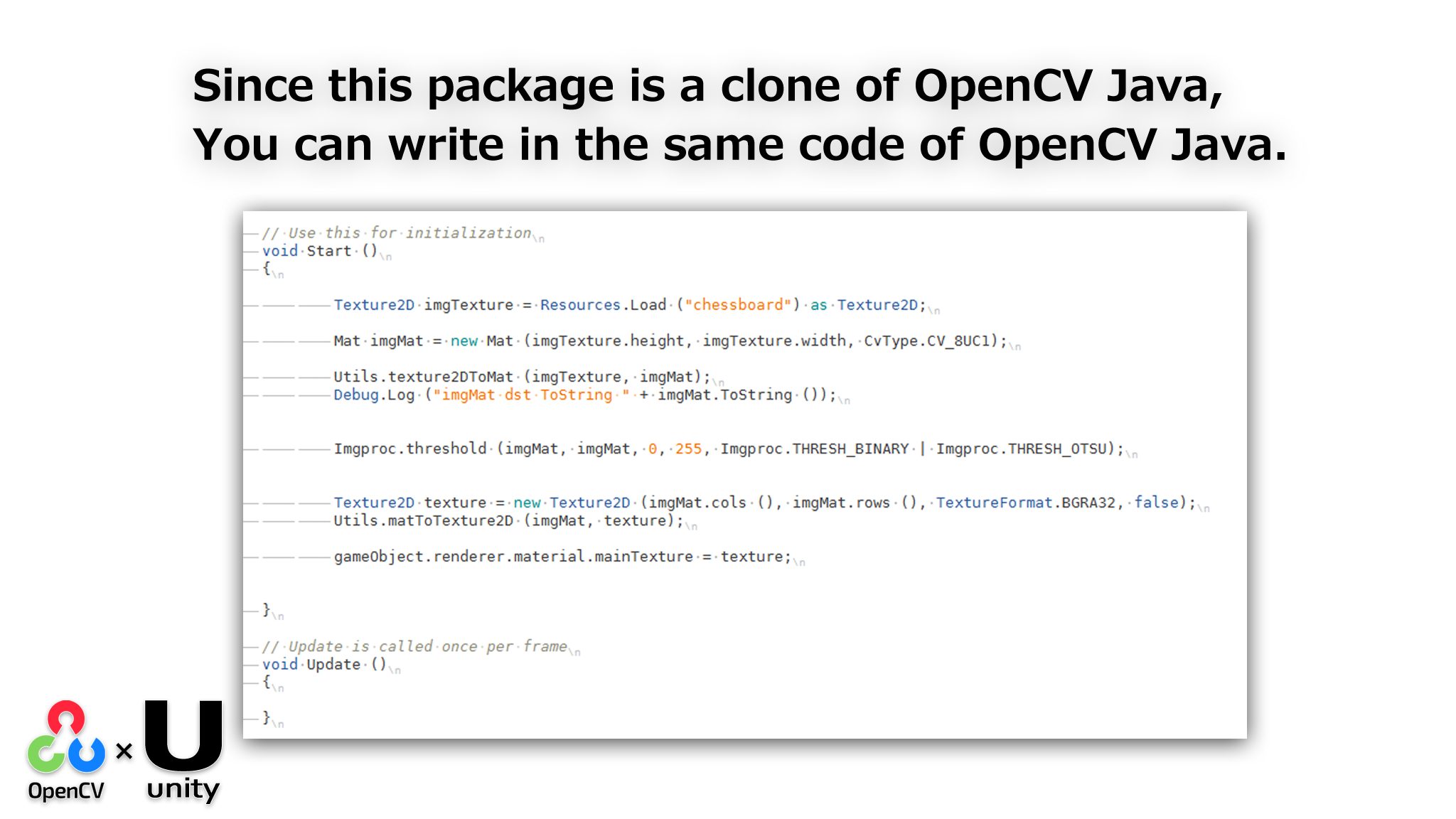
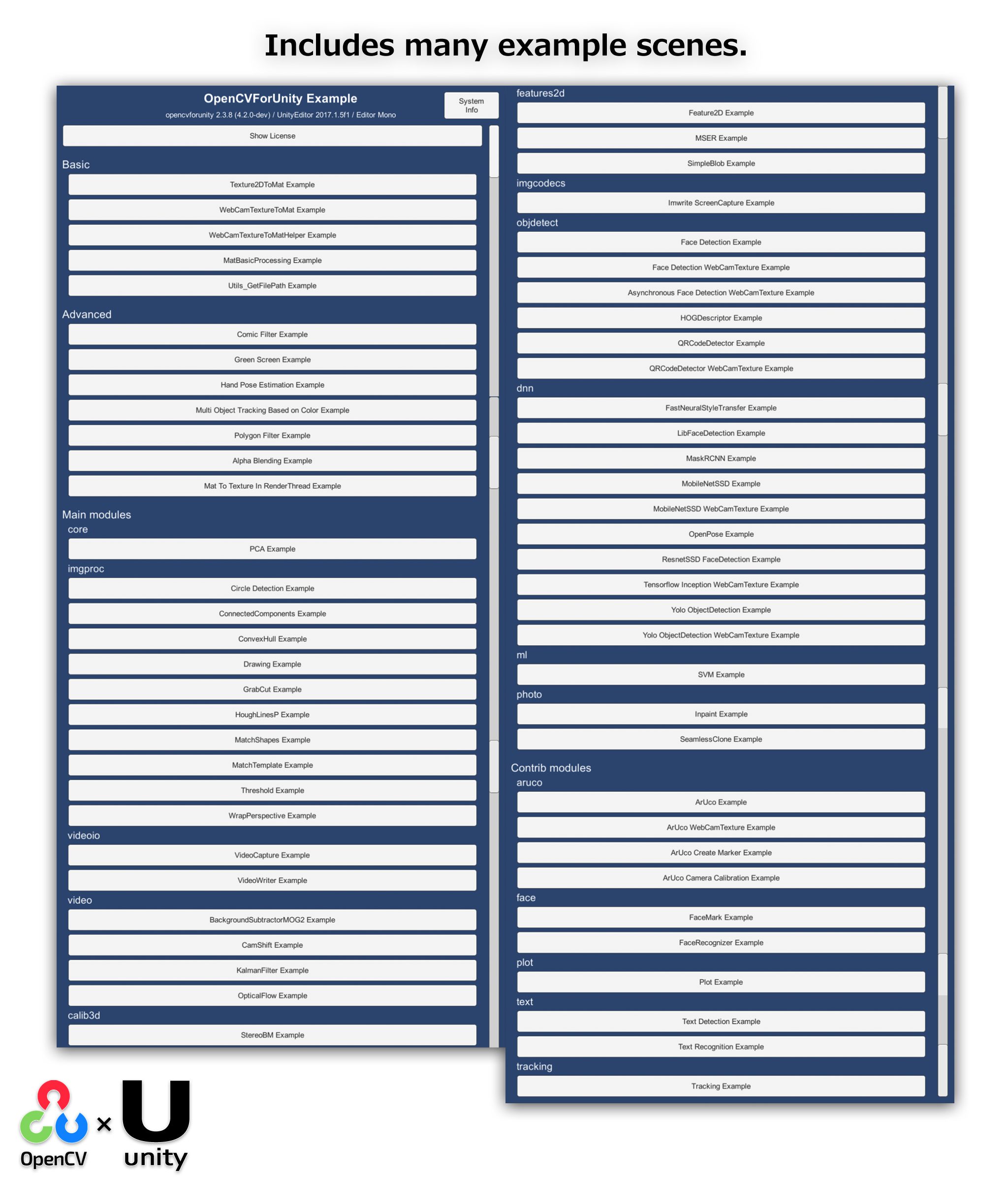
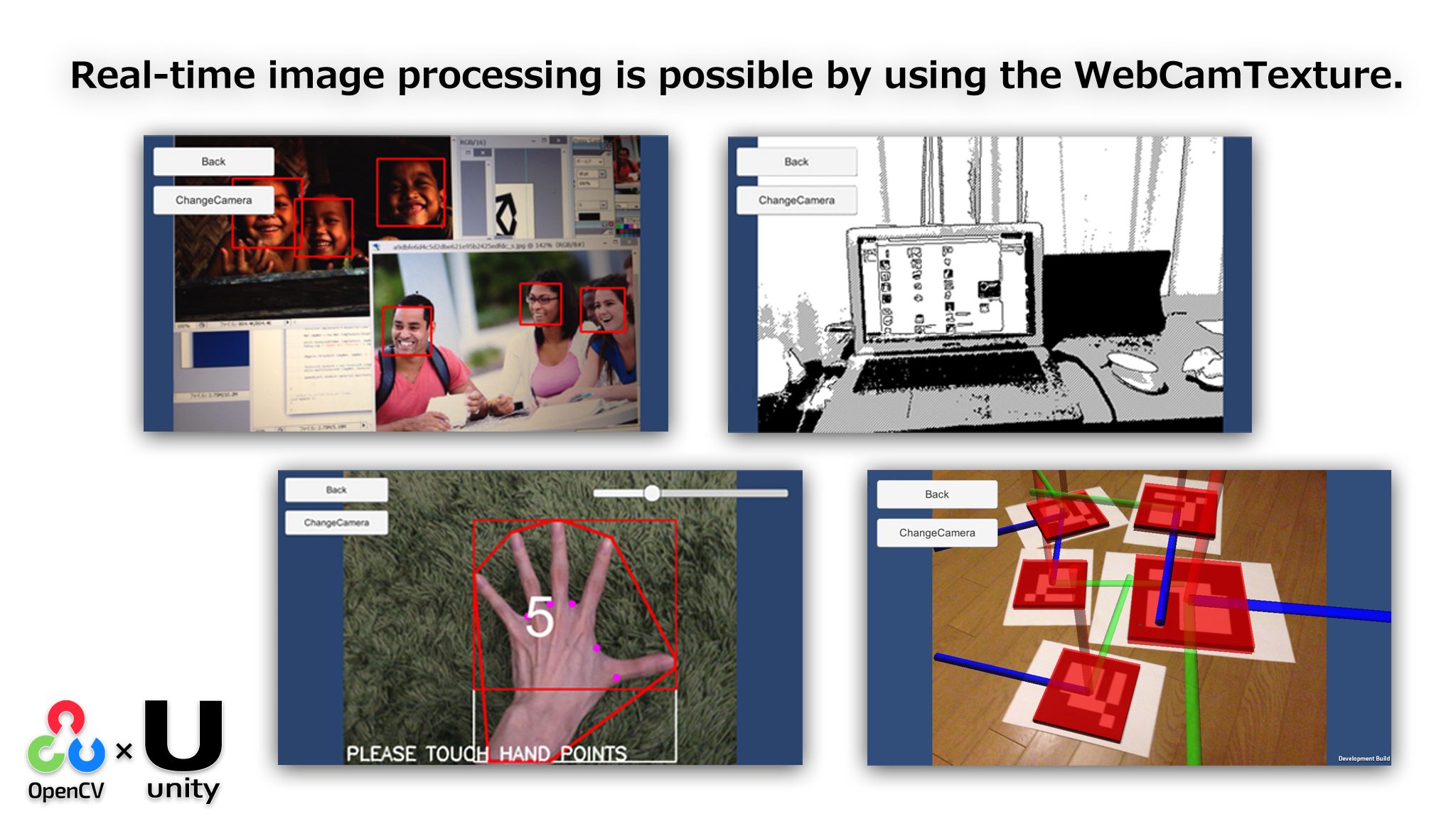
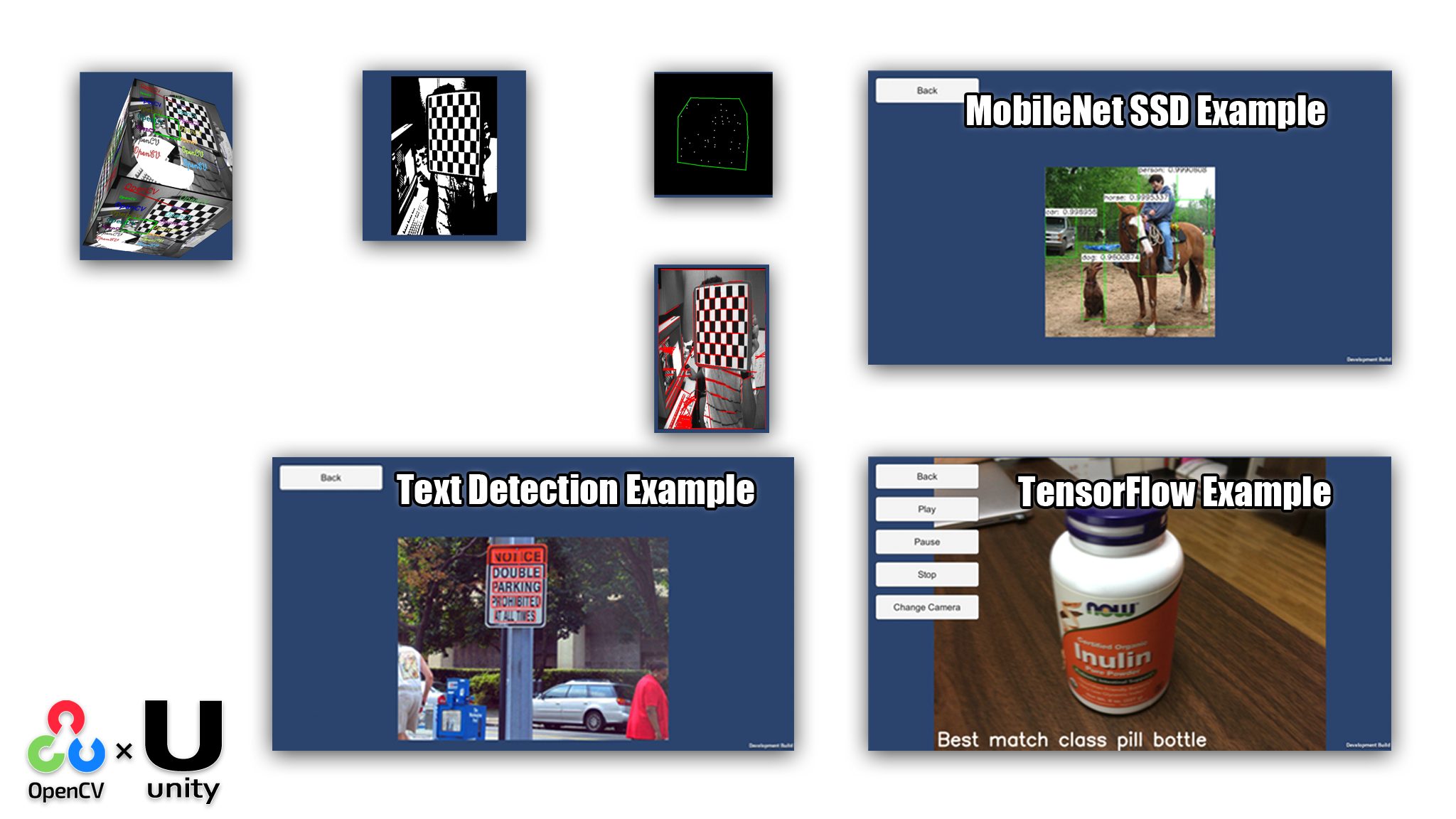
Support Platforms
OpenCV for Unity | |
|---|---|
| Editor | ○ |
| Windows | ○ |
| Mac | ○ |
| Linux | ○ |
| Android | ○ |
| iOS | ○ |
Windows10 UWP | ○ |
WebGL | ○ |
| ChromeOS | ○ |
| visionOS (beta) | ○ |
Support Modules
API Reference
https://enoxsoftware.github.io/OpenCVForUnity/doc/html/annotated.html
Support Modules
Windows | Mac | Linux | iOS | Android | Windows10 UWP | WebGL | ChromeOS | |
|---|---|---|---|---|---|---|---|---|
| aruco | ○ | ○ | ○ | ○ | ○ | ○ | ○ | ○ |
| bgsegm | ○ | ○ | ○ | ○ | ○ | ○ | ○ | ○ |
| bioinspired | ○ | ○ | ○ | ○ | ○ | ○ | ○ | ○ |
| calib3d | ○ | ○ | ○ | ○ | ○ | ○ | ○ | ○ |
| core | ○ | ○ | ○ | ○ | ○ | ○ | ○ | ○ |
| dnn | ○ | ○ | ○ | ○ | ○ | × | ○ | ○ |
| dnn_superres | ○ | ○ | ○ | ○ | ○ | × | ○ | ○ |
| face | ○ | ○ | ○ | ○ | ○ | ○ | ○ | ○ |
| features2d | ○ | ○ | ○ | ○ | ○ | ○ | ○ | ○ |
| img_hash | ○ | ○ | ○ | ○ | ○ | ○ | ○ | ○ |
| imgcodecs | ○ | ○ | ○ | ○ | ○ | ○ | ○ | ○ |
| imgproc | ○ | ○ | ○ | ○ | ○ | ○ | ○ | ○ |
| ml | ○ | ○ | ○ | ○ | ○ | ○ | ○ | ○ |
| objdetect | ○ | ○ | ○ | ○ | ○ | ○ | ○ | ○ |
| phase_unwrapping | ○ | ○ | ○ | ○ | ○ | ○ | × | ○ |
| photo | ○ | ○ | ○ | ○ | ○ | ○ | ○ | ○ |
| plot | ○ | ○ | ○ | ○ | ○ | ○ | ○ | ○ |
| saliency | ○ | ○ | ○ | ○ | ○ | ○ | ○ | ○ |
| structured_light | ○ | ○ | ○ | ○ | ○ | ○ | × | ○ |
| text *2 | ○ | ○ | ○ | ○ | ○ | × | ○ | ○ |
| tracking | ○ | ○ | ○ | ○ | ○ | ○ | ○ | ○ |
| video | ○ | ○ | ○ | ○ | ○ | ○ | ○ | ○ |
| videoio | ○ | ○ | ○ | ○ | ○ | ○*1 | ○*1 | ○ |
| wechat_qrcode | ○ | ○ | ○ | ○ | ○ | × | ○ | ○ |
| xfeatures2d | ○ | ○ | ○ | ○ | ○ | ○ | ○ | ○ |
| ximgproc | ○ | ○ | ○ | ○ | ○ | ○ | ○ | ○ |
| ximgproc | ○ | ○ | ○ | ○ | ○ | ○ | ○ | ○ |
| xphoto | ○ | ○ | ○ | ○ | ○ | ○ | ○ | ○ |
Setup Guide
Setup Manual
Setup Tutorial & Demo Video
Demo Application
Android
https://github.com/EnoxSoftware/OpenCVForUnity/releases
WebGL(simd)
https://enoxsoftware.github.io/OpenCVForUnity/webgl_example_simd/index.htmlWebGL(simd, threads)
https://enoxsoftware.github.io/OpenCVForUnity/webgl_example_simd_threads/index.htmlWebGL(WebGPU, simd)
https://enoxsoftware.github.io/OpenCVForUnity/webgl_example_simd_webgpu/index.htmlWebGL(WebGPU, simd, threads)
https://enoxsoftware.github.io/OpenCVForUnity/webgl_example_simd_threads_webgpu/index.htmlExample Project Assets
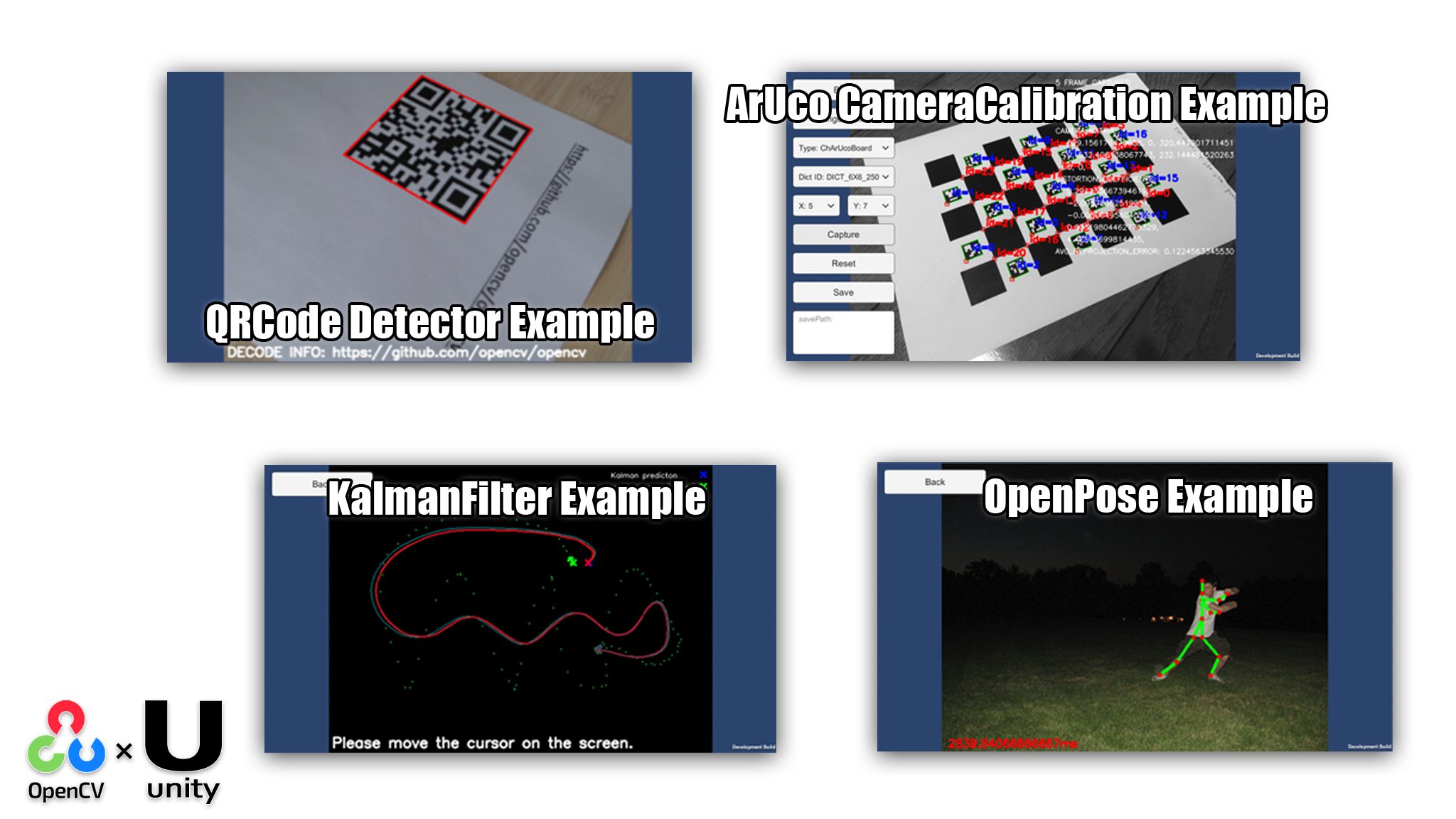
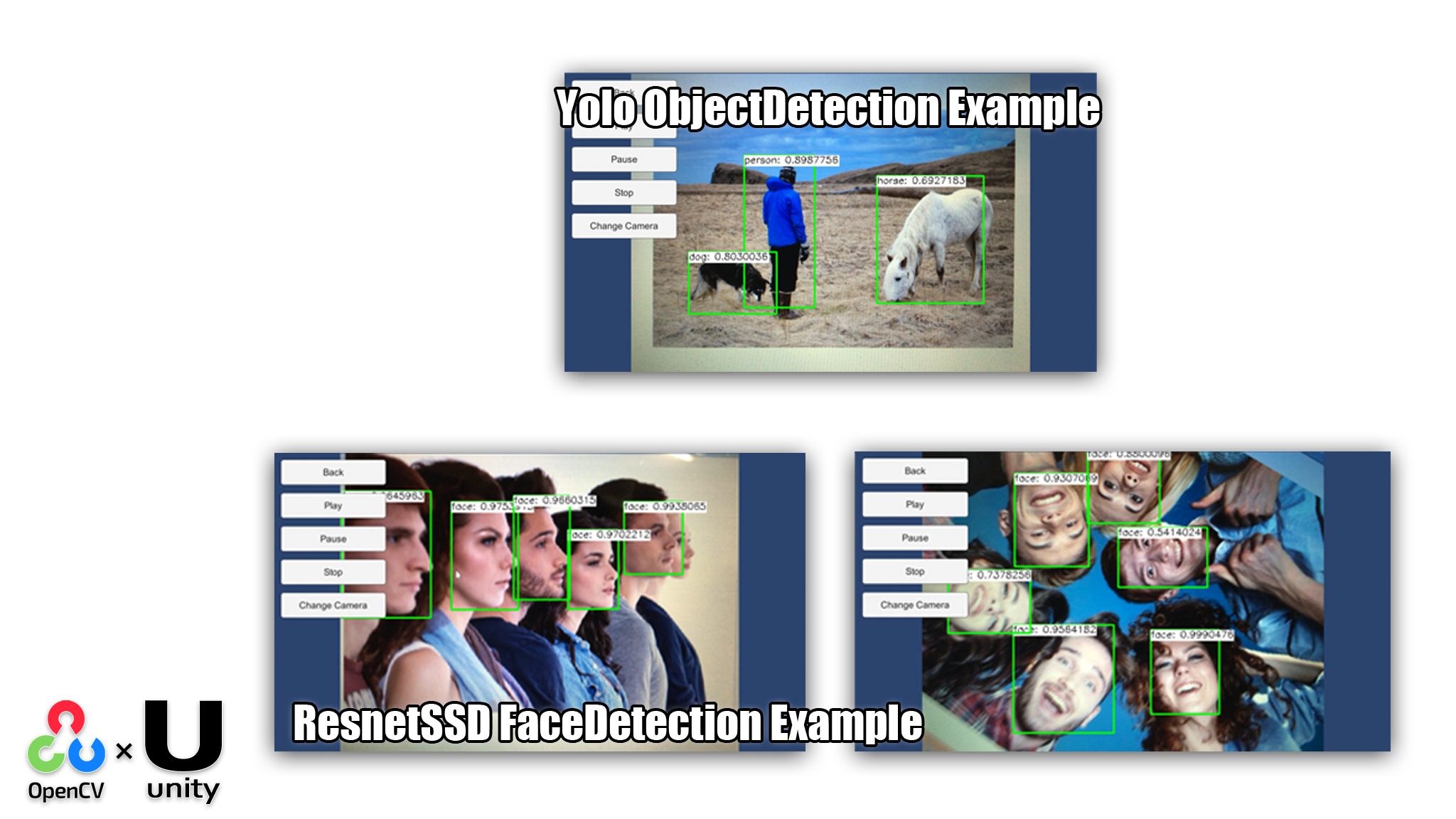
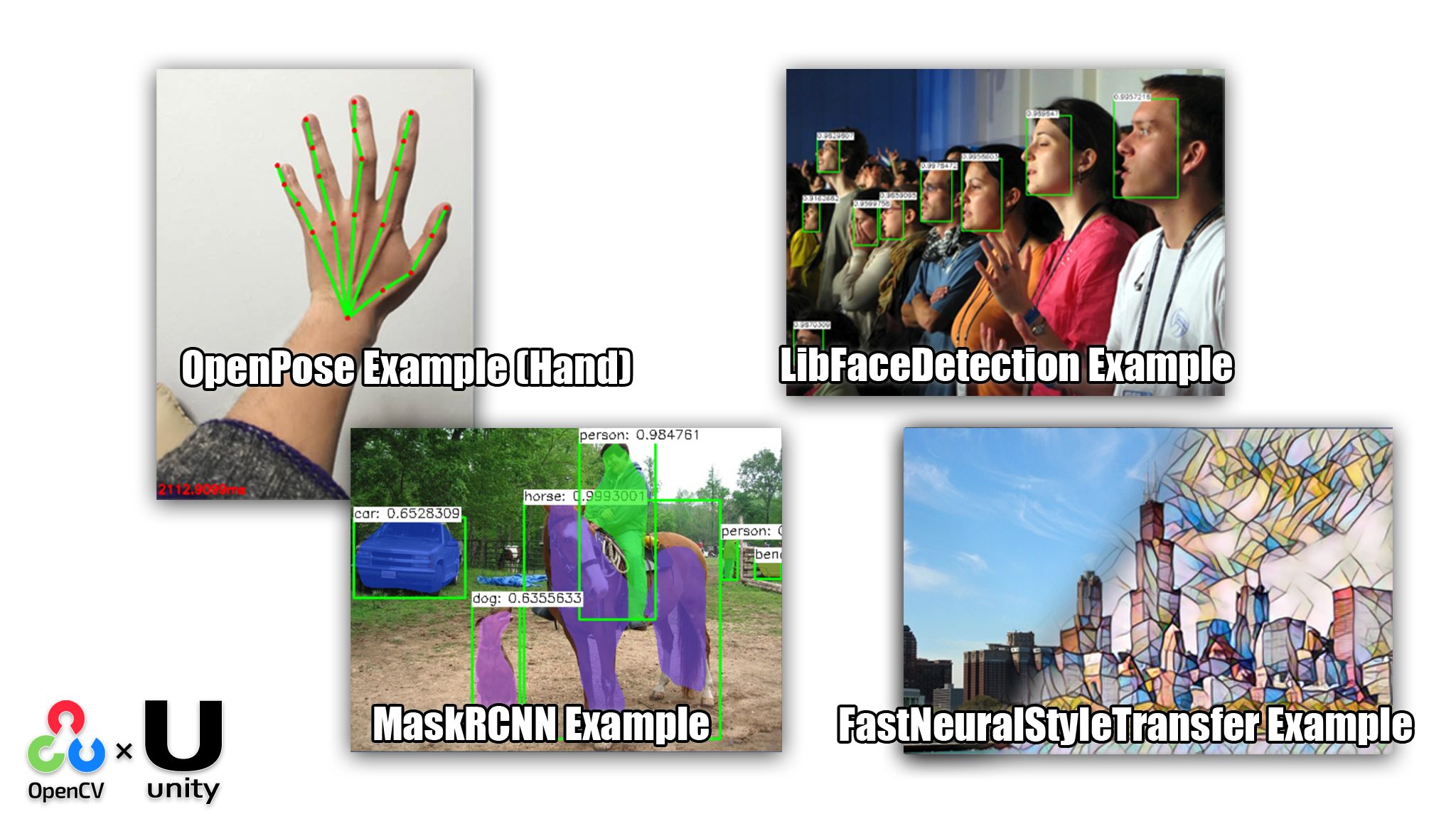
Basic Examples
Useful examples for learning the basics of OpenCV for Unity, included in the package.
OpenCVForUnity Examples (GitHub)
Advanced Examples
Useful examples for learning OpenCV for Unity in an applied context, available in the EnoxSoftware Github.
EnoxSoftware repositories (GitHub)
CV VTuber Example
https://assetstore.unity.com/packages/templates/tutorials/cv-vtuber-example-118186
CVVTuberExample(Computer Vision Virtual YouTuber Example) is an example project of controlling 3D humanoid model (“Unity-chan!” Model) using WebCamTexture. You can control the head orientation and the facial expression of the 3D humanoid model using WebCamTexture only.
The execution of this asset is required “OpenCV for Unity” and “Dlib FaceLandmark Detector”.
FaceMask Example
https://assetstore.unity.com/packages/templates/tutorials/facemask-example-79999
This asset is an example project that maps face mask to the detected faces in an image using “OpenCV for Unity” and “Dlib FaceLandmark Detector”.
MarkerLess AR Example
https://assetstore.unity.com/packages/templates/tutorials/markerless-ar-example-77560
This asset is a Marker-Less Augmented Reality Example using the actual environment as input instead of printed square markers and display 3d model in WebCamTexture in real-time.
This project’s code is a rewrite of https://github.com/MasteringOpenCV/code/tree/master/Chapter3_MarkerlessAR using “OpenCV for Unity”.
RealTime FaceRecognition Example
https://assetstore.unity.com/packages/templates/tutorials/realtime-facerecognition-example-73233
This asset is an example project of face recognition in real time using “OpenCV for Unity”.
This project’s code is a rewrite of https://github.com/MasteringOpenCV/code/tree/master/Chapter8_FaceRecognition using “OpenCV for Unity”.
MarkerBased AR Example
https://assetstore.unity.com/packages/templates/tutorials/markerbased-ar-example-29678
This asset is an Augmented Reality Example that detect and recognize markers and display 3D model in WebCamTexture in real-time.
This project’s code is a rewrite of https://github.com/MasteringOpenCV/code/tree/master/Chapter2_iPhoneAR using “OpenCV for Unity”.
Integration Examples
Other Unity Assets
- AVPro (AssetStore)
- ARFoundation (ARFoundation Scripting API)
- VisualScripting (VisualScripting Scripting API)
- KlakNDI (github)
- Native Gallery for Android & iOS (Asset Store)
- FFmpeg for Unity (github)
- Vuforia (Vuforia SDK for Unity)
- GoogeVR(Cardboard) (GVR Unity SDK)
- InferenceEngine (InferenceEngine Scripting API)
- YOLOv5
- YOLOv8
Other Gadgets
- Meta Quest 3 (Android)
- Nreal Light (XREAL Light) (Android NRSDK Unity SDK)
- RealSense (Unity Wrapper for RealSense SDK 2.0)
- ZED 2 or ZED Mini stereo camera (ZED Unity plugin 3.0)
- Kinect V2 (Kinect SDK 2.0 for Unity)
- Oculus Rift DK2 (Windows)
- …successful execution of the example scene.
- Raspberry Pi 2 (Windows10 loT Core,UWP)
- …successful execution of the example scene.
- Telepathy (Android)
- …successful execution of the example scene. (Link)
- HoloLens 1 / HoloLens 2 (UWP)
- USBCamera (Android)
FAQ
General
The asset package size is large. Is there a way to reduce it?
Using the Project Size Reducer , you can easily reduce unnecessary files in the Assets/OpenCVForUnity folder. Particularly, by removing plugin files for platforms not planned to be supported in your development project, you can significantly reduce the project size.
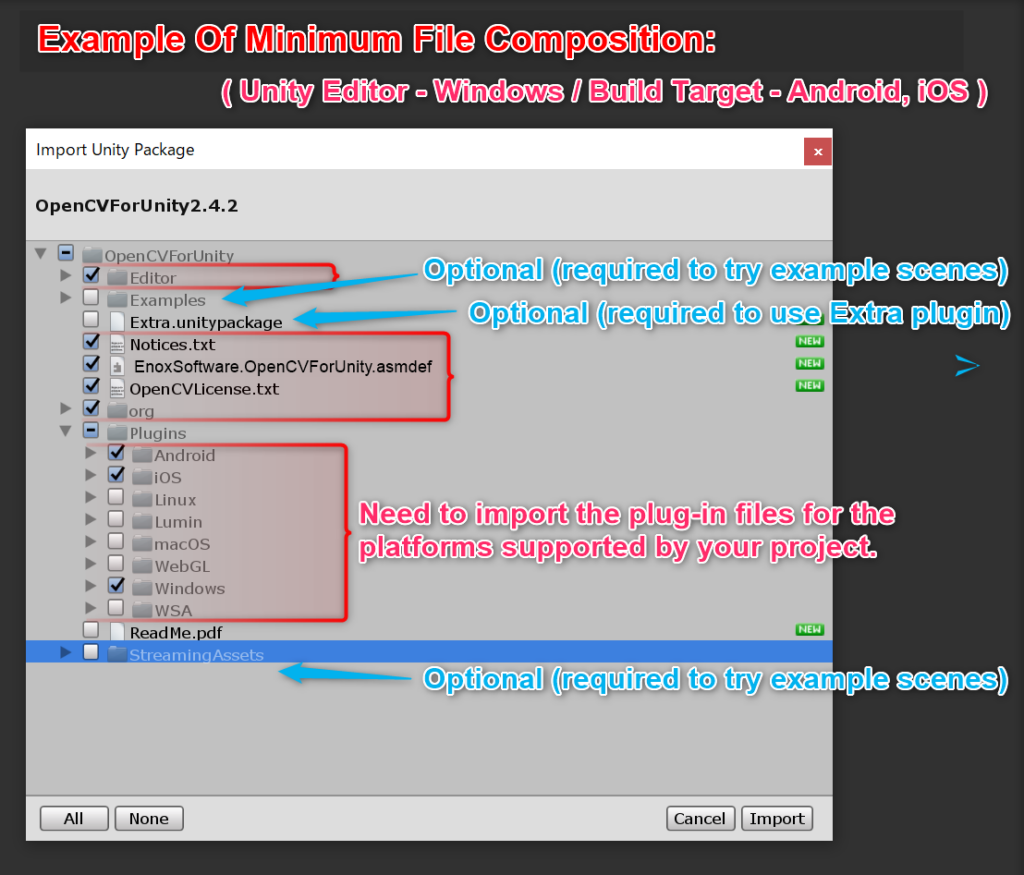
What is the minimum file composition required for the assets to work?
You don’t need to import all files for the asset to work. If you don’t need to try Example Scenes, the minimum file configuration required is as follows.
How can I learn the details of OpenCV methods and arguments?
For details on method arguments, please refer to OpenCV Official Documentation and OpenCV Tutorials.
How can I convert Mat class operators defined in C++?
Regarding the conversion method of Mat class operators defined in C++. For details, please see this page. (Way to translation of Mat class operators defined in C++)
When running Example Scenes, “DllNotFoundException: opencvforunity” appears in the console.
It seems the plugin is not loaded correctly. Please check the setup procedure.
When running Example Scenes, “ArgumentException: The output Mat object has to be of the same size” appears in the console.
After plugin setup, restarting the Unity Editor may make the plugin work properly.
When running Example Scenes, “Level ‘Texture2DtoMatExample’ (-1) could not be loaded” appears in the console.
Click the Add Example Scenes in Build button in the Setup Tools window to add all Example Scene files in the Examples folder to Scenes In Build in Build Settings.
How can I use SIFT and SURF algorithms?
The native libraries included in OpenCV for Unity are built with the OPENCV_ENABLE_NONFREE flag disabled. To use SIFT and SURF algorithms, please rebuild the OpenCV library with OPENCV_ENABLE_NONFREE enabled.
How to catch error codes that occur on the native side of OpenCV (CVException handling)
In order to display the native opencv’s error code, please enclose the code in Utils.setDebugMode(true) and Utils.setDebugMode(false). For details, please see this page. (How to catch native OpenCV’s errors code (CVExceptionhandling))